
![[Andy] Daily newsletter](/data/resource_icons/0/15.jpg?1773107556)


Description:
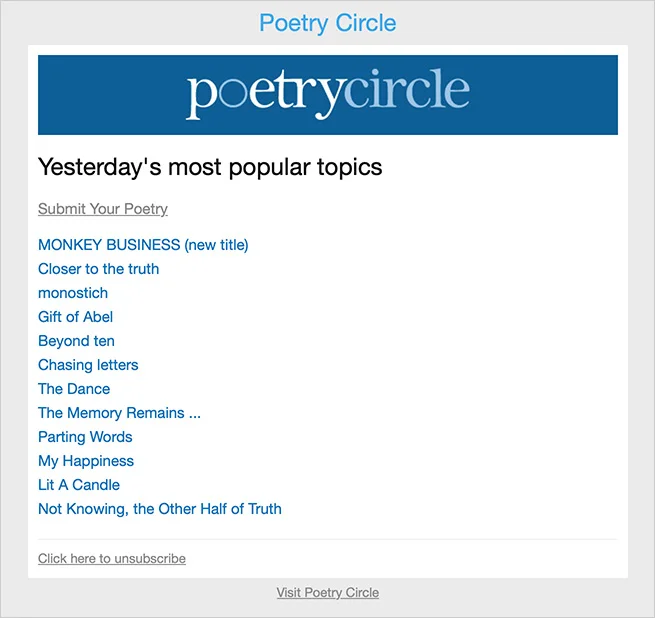
Sends an email to your members every day showing most popular topics.
(Example of Daily newsletter email)
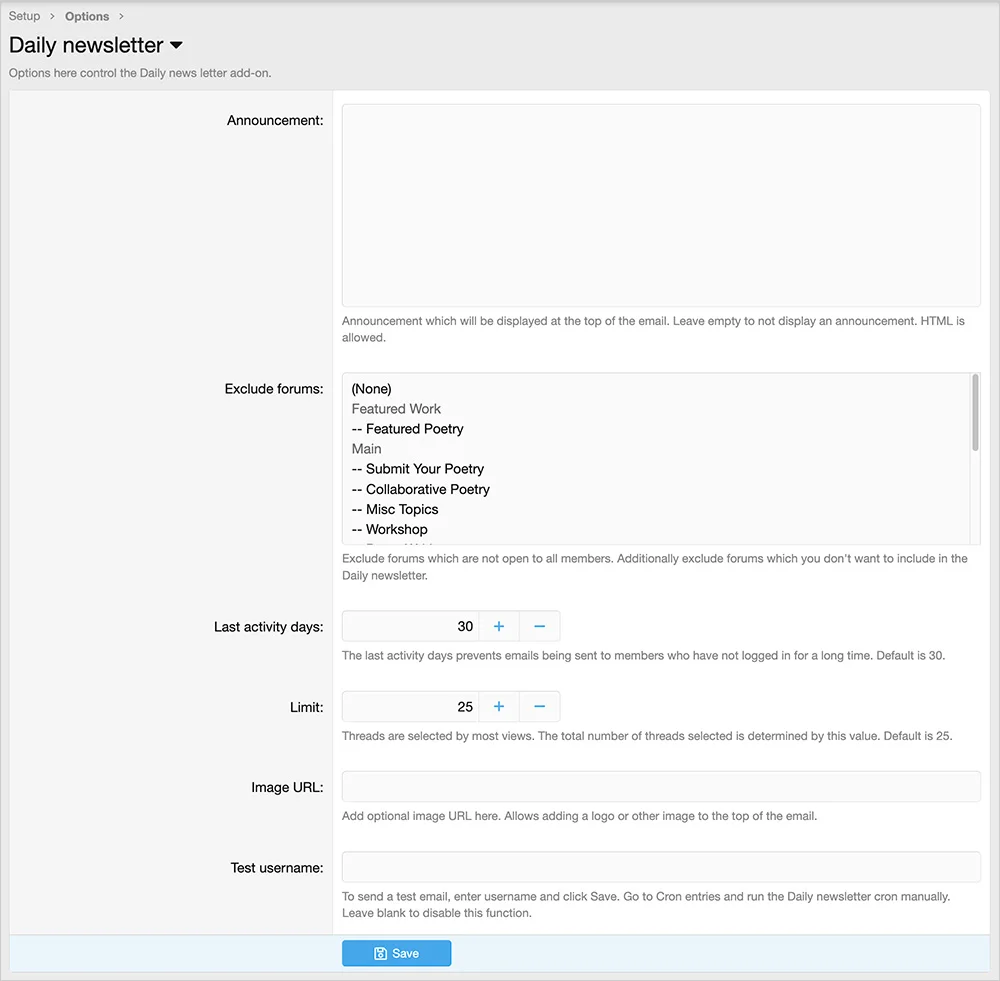
(Example of Options page)
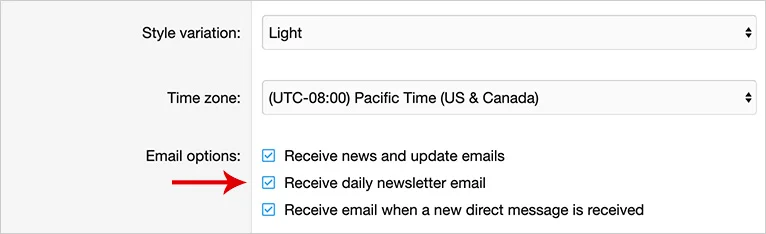
(Example of Account preferences page)
Features:
Admin control panel -> Setup -> Options -> Email options
Be sure to uncheck the "Enable activity summary email" option.
Database changes:
This add-on will add a field called andy_daily_newsletter to your xf_user table.
Questions and Answers:
Q: Are forum view permissions honored?
A: No. You must exclude private forums in the Options page.
Q: Are banned members excluded?
A: Yes.
Q: Are discouraged members excluded?
A: Yes.
Q: Are emails sent only to users which have a User state of Valid?
A: Yes.
Q: How are thread topics chosen?
A: New threads from the past day are selected by most viewed.
Q: Are members automatically enrolled in this add-on?
A: Yes.
Q: How can I determine the number of emails that will be sent?
A: Add dailynewsletter/stats to your forum URL.
Q: Can I change the day and time the mailing go out?
A: Yes. Change the Cron entry here:
Admin Control Panel -> Tools -> Cron entries -> Daily newsletter
Sends an email to your members every day showing most popular topics.
(Example of Daily newsletter email)
(Example of Options page)
(Example of Account preferences page)
Features:
- Option to include an announcement.
- Option to vary the number of topics sent in the email.
- Option to send test email.
- All phrases start with dailynewsletter_ for your convenience.
Admin control panel -> Setup -> Options -> Email options
Be sure to uncheck the "Enable activity summary email" option.
Database changes:
This add-on will add a field called andy_daily_newsletter to your xf_user table.
Questions and Answers:
Q: Are forum view permissions honored?
A: No. You must exclude private forums in the Options page.
Q: Are banned members excluded?
A: Yes.
Q: Are discouraged members excluded?
A: Yes.
Q: Are emails sent only to users which have a User state of Valid?
A: Yes.
Q: How are thread topics chosen?
A: New threads from the past day are selected by most viewed.
Q: Are members automatically enrolled in this add-on?
A: Yes.
Q: How can I determine the number of emails that will be sent?
A: Add dailynewsletter/stats to your forum URL.
Q: Can I change the day and time the mailing go out?
A: Yes. Change the Cron entry here:
Admin Control Panel -> Tools -> Cron entries -> Daily newsletter

![[OzzModz] Install/Upgrade Button On Install/Upgrade Success Page](/data/resource_icons/0/66.jpg?1776488532)
![[OzzModz] Addon Options Menu On Install/Upgrade Success Page](/data/resource_icons/0/65.jpg?1776488108)
![[XB] Thread Prefix Forces Thread Type](/data/resource_icons/0/64.jpg?1776487600)
![[XB] Copy Tags](/data/resource_icons/0/63.jpg?1776487146)