-
- Joined
- Feb 27, 2026
-
- Messages
- 132
-
- Reaction score
- 36
-
- Points
- 28
Description:
Quickly find threads, conversations and resources.
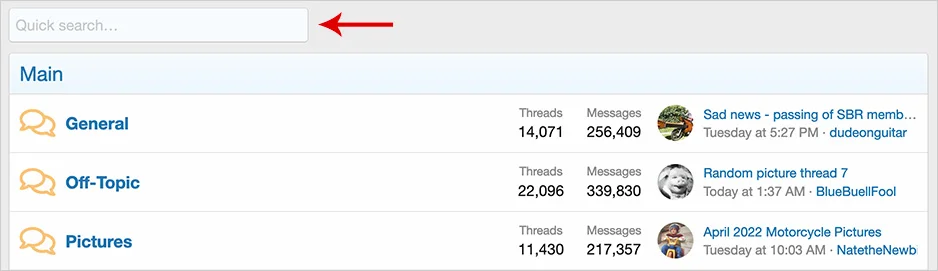
(Example of Quick search box on forum list)
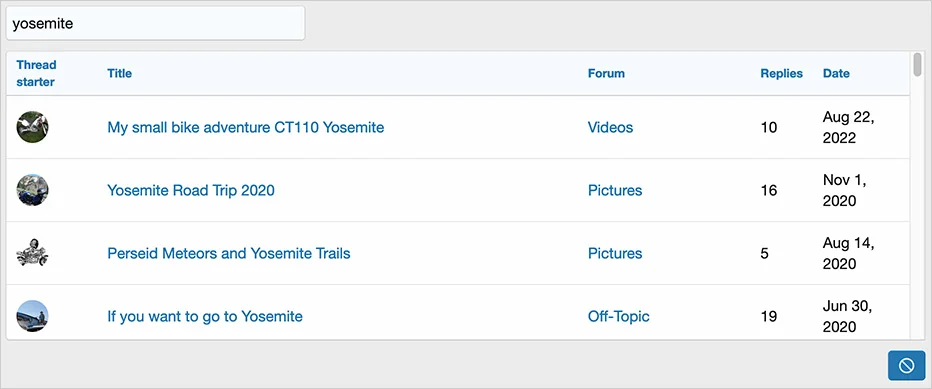
(Example of quick search results)
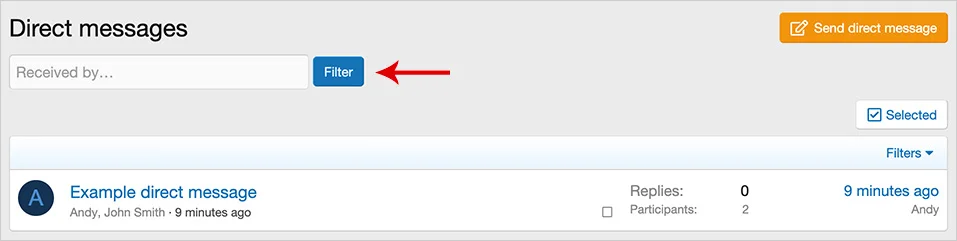
(Example of Received by filter)
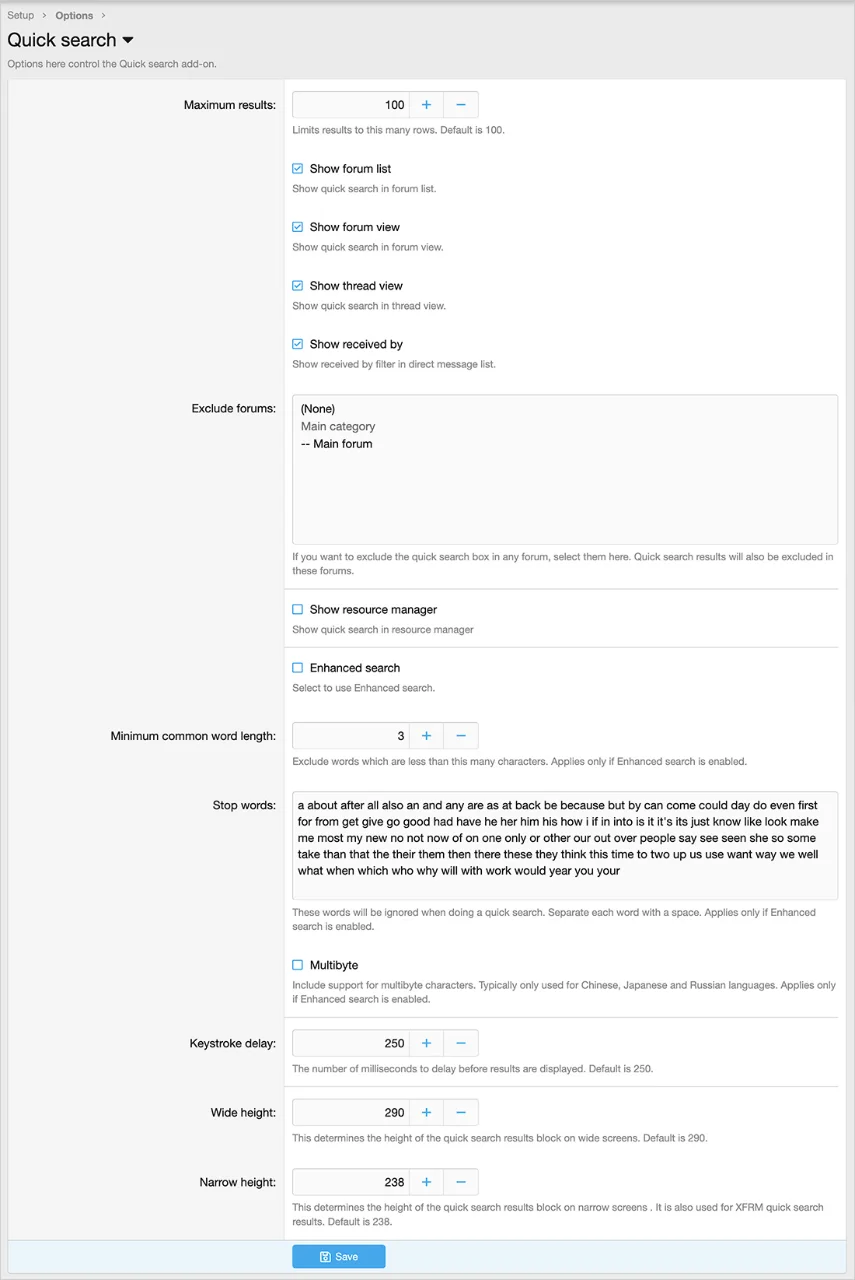
(Example of Options page)
(Example of User group permissions)

Features:
Typically you will set 'Yes' for the following two user groups:
Registered
Unregistered /Unconfirmed
Questions and Answers:
Q: Does this add-on search thread titles only, or does it also search post content?
A: Thread titles only.
Q: Are view permissions honored?
A: Yes. Members will only see results which they have view privileges to.
Q: Are all results shown?
A: No. The number of results shown is based on the quick search options page 'Maximum results' and newest threads will be displayed first.
Q: Are the options below 'Enhanced search' only applicable if Enhanced search is selected?
A: Yes.
Q: Is the 'Create pages for categories' feature supported?
A: No.
Q: How are thread titles searched?
A: Depends if Standard search or Enhanced search is selected in the Quick search options page.

Q: Does Quick search log searches?
A: No.
Quickly find threads, conversations and resources.
(Example of Quick search box on forum list)
(Example of quick search results)
(Example of Received by filter)
(Example of Options page)
(Example of User group permissions)
Features:
- Quick search box located in the 'forum list' searches thread titles in all forums.
- Quick search box located in the 'forum view' searches thread titles in the current forum.
- Quick search box located in the 'thread view' searches thread titles in the current forum.
- Filter box located in the 'direct message list' filters by received by username.
- Quick search box located in the 'resource manager' searches all resource titles.
- All phrases start with quicksearch_ for your convenience.
Typically you will set 'Yes' for the following two user groups:
Registered
Unregistered /Unconfirmed
Questions and Answers:
Q: Does this add-on search thread titles only, or does it also search post content?
A: Thread titles only.
Q: Are view permissions honored?
A: Yes. Members will only see results which they have view privileges to.
Q: Are all results shown?
A: No. The number of results shown is based on the quick search options page 'Maximum results' and newest threads will be displayed first.
Q: Are the options below 'Enhanced search' only applicable if Enhanced search is selected?
A: Yes.
Q: Is the 'Create pages for categories' feature supported?
A: No.
Q: How are thread titles searched?
A: Depends if Standard search or Enhanced search is selected in the Quick search options page.
Q: Does Quick search log searches?
A: No.
Attachments
Related Threads
-
xf-addons XTR - AI Assistant
XFrip · · Replies: 14
-
xf-guides Modern World Clock Widget for XenForo
XFrip · · Replies: 3
-
xf-addons [OzzModz] Install/Upgrade Button On Install/Upgrade Success Page
XFrip · · Replies: 1
-
xf-addons [OzzModz] Addon Options Menu On Install/Upgrade Success Page
XFrip · · Replies: 1
-
xf-addons [XB] Thread Prefix Forces Thread Type
XFrip · · Replies: 1
-
xf-addons [XB] Copy Tags
XFrip · · Replies: 1