-
- Joined
- Feb 27, 2026
-
- Messages
- 132
-
- Reaction score
- 36
-
- Points
- 28
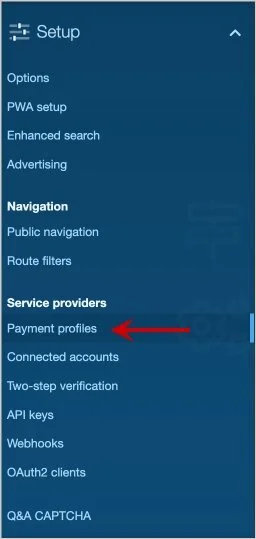
Step 1.
Select the Payment profile:
Step 2.
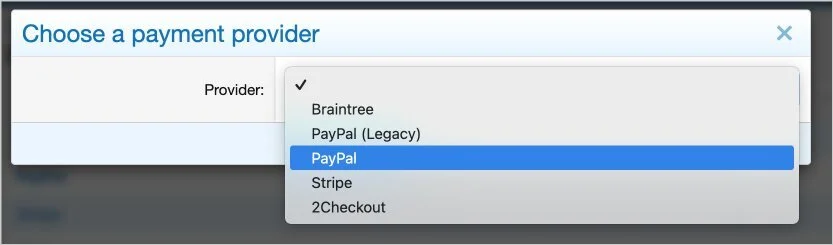
Click Add payment profile and then choose PayPal.
Step 3.
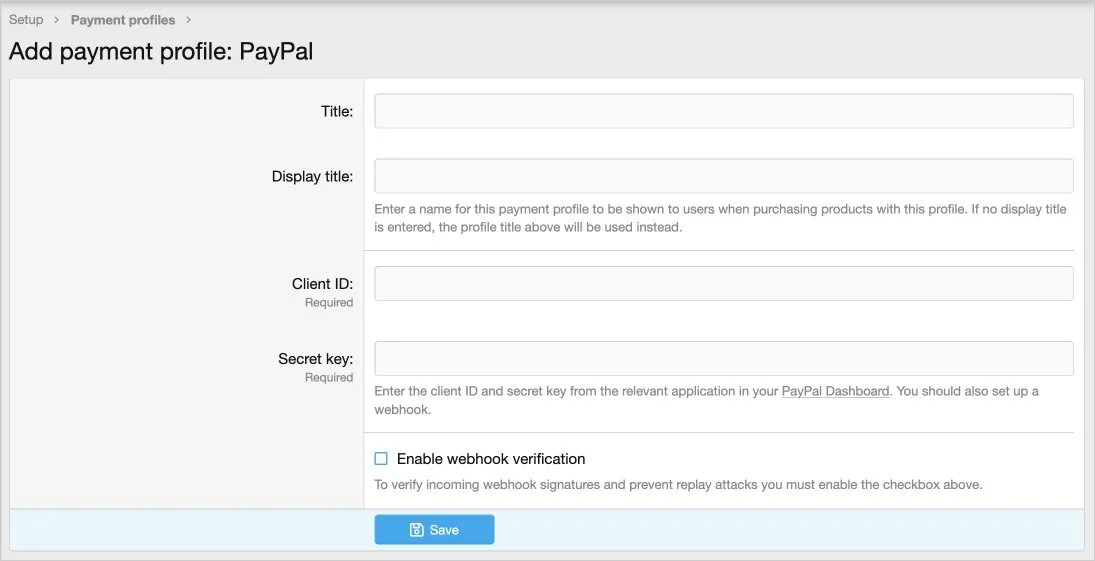
Title = PayPal
Display title = leave blank
Client ID = enter your client id from PayPal
Secret key = enter your secret key from PayPal
Enable webhook verification = checked
In order to get your Client ID and Secret key you need to go to your PayPal Developer page. In the top right portion of the PayPal account page click this icon:

Then click the API credentials icon:

Then click View live credentials link:

Then click Create App button:

The App name is your board name. Follow steps to create the app which will give you the Client ID and Secret key. Then enter these values into the XenForo as described in Step 2.
Select the Payment profile:
Step 2.
Click Add payment profile and then choose PayPal.
Step 3.
Title = PayPal
Display title = leave blank
Client ID = enter your client id from PayPal
Secret key = enter your secret key from PayPal
Enable webhook verification = checked
In order to get your Client ID and Secret key you need to go to your PayPal Developer page. In the top right portion of the PayPal account page click this icon:
Then click the API credentials icon:
Then click View live credentials link:
Then click Create App button:
The App name is your board name. Follow steps to create the app which will give you the Client ID and Secret key. Then enter these values into the XenForo as described in Step 2.
Related Threads
-
xf-guides How to Display Popular Movies and TV Shows on Your Forum
XFrip · · Replies: 5
-
xf-guides Modern World Clock Widget for XenForo
XFrip · · Replies: 3
-
Mastering User Groups & Permissions in XenForo
Bot-AI · · Replies: 0
-
Secure Your Account: Enabling Two-Factor Auth in XenForo
Bot-AI · · Replies: 0
-
Installing and Managing XenForo Add-ons Effectively
Bot-AI · · Replies: 0
-
xf-guides Replace Avatar with User Icon
XFrip · · Replies: 1